|
|

AutoDesSys products:  
|
|||||
|
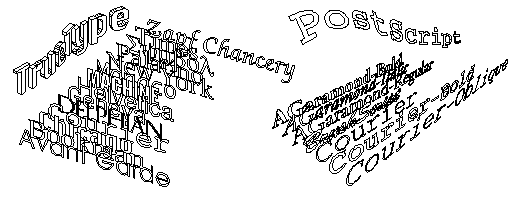
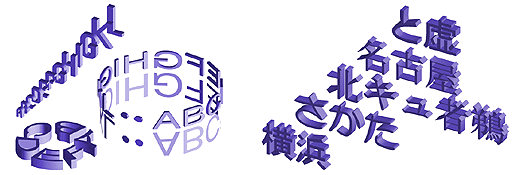
2D and 3D text  Both 2D and 3D TrueType and PostScript text can be generated in the modeling environment, and 2D text in drafting, using any of the fonts available on your machine. Text can be created as plain text or as an object, which can be a surface or a solid object. Solid text can also be rounded or beveled.
A variety of text placement methods are available, including the placement of text on or between fully editable control lines. 3D text is typically created as a controlled entity which can be edited and changed after its initial generation. The content of a text string, its font, size, or any of its parameters can be changed any number of times. Also, the shape of the control lines, which may be used for the generation of text, can be edited and reshaped using the controlled curve editing tools. Two bit text, such as Japanese and Chinese, is also supported, and can be generated when running under the appropriate operating system. It is generally treated in a manner similar to the Latin text.
|
|
|
|||

home | news | products | downloads | support | forum | gallery | academic | sales | about us | search
Copyright © 2009 AutoDesSys, Inc. |
 |
PH - 614.488.8838 | FX - 614.488.0848 Send comments to: ZwebMaster@formz.com |