AutoDesSys products: form&middotZ


Introduction

General purpose 3D solids and surface modeler


form•Z, the 3D form synthesizer, is above all a 3D modeling program, even though it also includes drafting, rendering and walk through animation. Additional photorealistic rendering is offered by form•Z RenderZone, and radiosity based rendering by form•Z RadioZity. form·Z as a modeler is quite unique in that it has accepted a few major challenges that other modeling applications have shied away from:
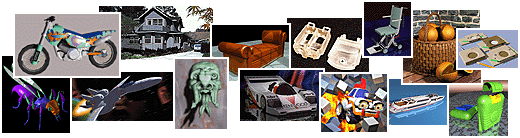
  • It is a general purpose modeler that designers from a variety of different fields can use to create and visualize 3D forms. A few samples of what users from distinctly different fields are doing are shown above. For a more extensive exhibition of form·Z users' work, please visit our Gallery.
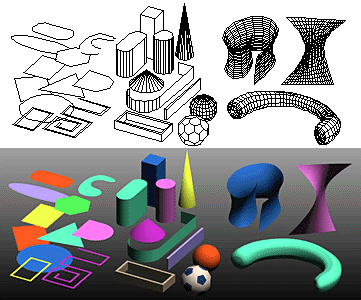
  • It combines solids and surface modeling. It also combines faceted (boundary) representations with parametric spline representations, NURBS, patches, and metaballs. This unique mixture of modeling personalities allows you to create any form, existing or imaginary, while working in a single package.

  • It is a design oriented program that, not only allows you to visualize existing forms, but also to create new ones, which remain soft and tentative while they are generated. form•Z is above all a 3D form synthesizer.


form·Z feature list

Introduction


Interface


Modeling

• Primitives
• Spherical objects
• Metaballs
• 3D solids and 2D shapes
• Patterned polygons
• Derivative surfaces, extrusions, enclosures
• Parallel objects
• Frames

• Projection objects
• Unfolding
• Terrain models
• Revolved objects
• Helixes
• Screws and bolts
• Stairs
• Sweeps
• Draft Sweeps
• Skinning
• Lofting
• S-lofts
• Meshed objects
• Subdivisions
• Moving and disturbing meshes
• Deformations
• Bending along curves
• Morphing
• Image based displacements
• Rounding
• Blending and filleting
• Draft angles
• Splines and c-curves
• C-Meshes
• Nurbz
• Formula curves and surfaces
• Patches
• Boolean operations
• Trimming, splitting, and stitching
• 2D and 3D sections
• Deriving contours
• Lines of intersection
• Grouping and ungrouping/Joining and separating
• Placing and editing text
• Symbols
• Editing 3D lines
• Converting representations of objects
• Extracting controls
• Inquiring and measuring
• Repairing objects and projects
• Moving, rotating, resizing, and mirroring
• Clones
• Attaching
• Replace
• Inserting
• Deleting

Drafting


Rendering


Special features

• Extensive import/export
• Panoramic views
• Straight up perspectives
• View matching
• Walk through animation
• Rapid prototyping
• 2D/3D digitizing

next »