|
|

AutoDesSys products:  
|
||||
|
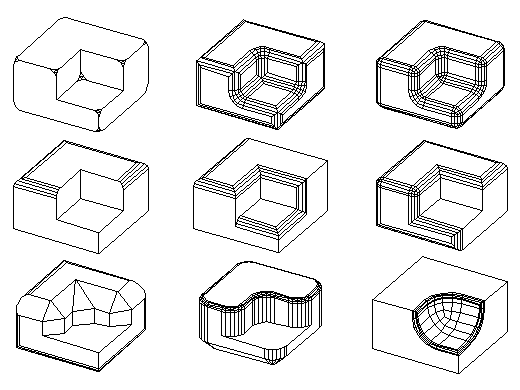
Rounding  With the unique Round tool of form·Z you can smooth vertices (points), edges (segments), or combined vertices and edges. Rounding solutions are also offered for concave vertices and for non-planar sequences of edges called stitches. Controlled rounding allows you to preview the effects of the rounding parameters, then edit and interactively change them. An option to automatically adjust the rounding parameters, when they do not fit the object, is also available. While controlled rounding allows you to apply rounding which is globally blended each time changes are made to the rounding parameters, plain rounding allows you to apply rounding in a multi-layered mode. Each of these unique rounding options offers distinct rounding possibilities. The rounding operation in form·Z is able to handle some
challenging cases and includes the ability to round a sequence of edges
with different arc sizes. Some difficult rounding cases are illustrated
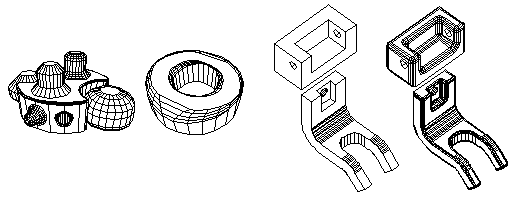
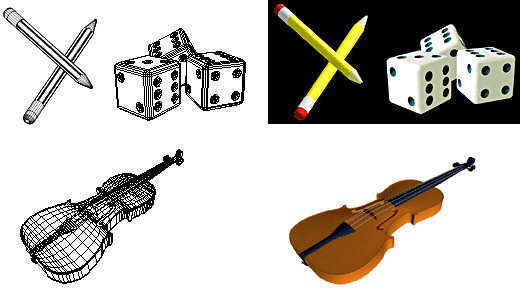
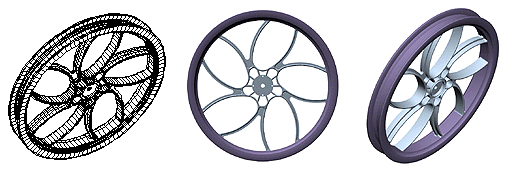
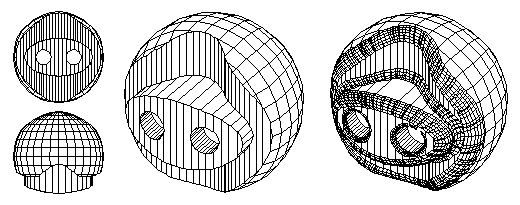
below. One of the most advanced modeling operations available, rounding and blending smooths the otherwise hard geometry of objects, and greatly facilitates their rendering as well as their manufacturing. This is illustrated by the examples below.
Non-planar closed sequences of edges, called stiches, can also be rounded at the time they are created by a Trim and Stitch operation, or after they have been generated. Such stitch rounding is illustrated below.
|
|
|
||
home | news | products | downloads | support | forum | gallery | academic | sales | about us | search
Copyright © 2009 AutoDesSys, Inc. |
 |
PH - 614.488.8838 | FX - 614.488.0848 Send comments to: ZwebMaster@formz.com |