|
|

AutoDesSys products:  
|
||||
|
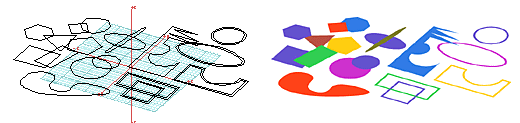
The set of drawing tools available in form•Z allows you to draw directly on a reference plane or on the surfaces of other previously created objects. You can draw rectangles, circles, ellipses, arcs, symmetric polygons, open or closed sequences of lines, and splines. You can actually draw continuous sequences of straight lines, arcs, and splines, rather than first drawing them separately and then joining them. However, the latter option is also available, and form·Z offers a variety of 3D line editing tools that allow you to both break and connect lines, as well as to round or bevel corners of shapes.
Basic shapes can be easily combined to create complex shapes through the use of a variety of operations available in the program. For example, shapes can be multi-copied in a symmetric or asymmetric fashion and can then be unioned of differenced to derive composite patterns such as the ones shown above.
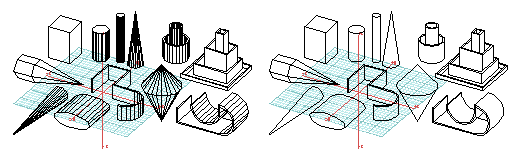
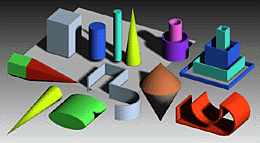
Above, a sample of 3D forms that can be generated directly is shown
in a hidden line drawing (above left), in a hidden line with edges of
curved surfaces eliminated (above right), and in a shaded rendering.
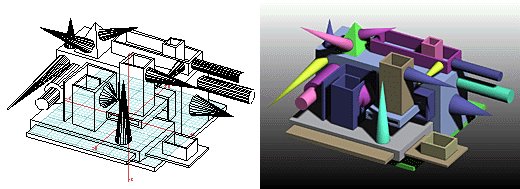
A particularly unique feature of form·Z is its ability to
draw and generate both 2D shapes and 3D extrusions directly on the surfaces
of previously created objects. When creating extrusions in such a fashion,
the direction of the extrusion is perpendicular to the surface on which
you draw. This feature makes it easy to create configurations of objects
in positions that are relative to each other, such as shown in the above
example.
|
|
|
||


home | news | products | downloads | support | forum | gallery | academic | sales | about us | search
Copyright © 2009 AutoDesSys, Inc. |
 |
PH - 614.488.8838 | FX - 614.488.0848 Send comments to: ZwebMaster@formz.com |